

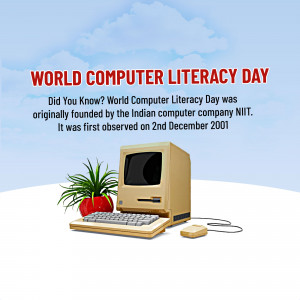
2nd December is Computer Literacy Day.
“On this Computer Literacy Day, the significance of this technology resonates deeply as I reflect on a defining moment in 1991. It was a time when I sat in front of a 486 processor computer, eager to embark on the journey of digital learning. The objectives were clear: mastering Dbase(III) Plus for an intricate task of inventorying all fire extinguishers at the Sandoz site, and harnessing the power of WordPerfect to establish a robust digital communication chain.
The memory of that day holds immense significance as it symbolizes not just a personal initiation into the world of computing but also a pivotal step in integrating technology into the realm of Environment, Health, and Safety (EHS). Those foundational skills in database management and word processing laid the groundwork for streamlining processes, ensuring safety compliance, and fostering efficient communication within the organization.
The Dbase application wasn’t merely about data; it was about safety – meticulously cataloging crucial firefighting equipment to ensure preparedness at the Sandoz site. WordPerfect, on the other hand, transcended mere text; it established a digital conduit, facilitating seamless communication that proved pivotal in our EHS initiatives.
This reminiscence underscores the transformative power of computer literacy in revolutionizing the landscape of EHS management. Today, the realm of EHS is not just about regulations and protocols; it’s also about harnessing the potential of technology to mitigate risks, ensure compliance, and create safer environments. I went to have a Windows PC at my work desk in 1996, Home Computer in 1999, Internet late 1999, Windows Laptop 2000, and Mac for my 50th Birthday 2013. (Gifted by my son!, who later went on to become a Mac Engineer!).
++++++++++++++++++++++++++++++++++++++++++++
As we commemorate Computer Literacy Day, I’m reminded not just of personal milestones but of the immense strides the EHS field has taken, leveraging the ever-evolving world of computing to protect and enhance the well-being of individuals and environments alike.”
World Computer Literacy Day aims to promote awareness and understanding of computer skills and their importance in today’s world. It emphasizes the necessity of basic computer literacy for individuals to thrive in the modern digital era. This day encourages initiatives, programs, and efforts worldwide to provide access to computer education and technology to everyone, regardless of age, background, or location. The goal is to bridge the digital divide by empowering people with the skills and knowledge needed to use computers effectively for learning, work, communication, and problem-solving.

Integrating computer literacy into the EHS (Environment, Health, and Safety) domain offers substantial benefits to professionals in various ways:
- Data Management: Proficient computer skills allow EHS professionals to manage vast amounts of data efficiently. They can analyze trends, track incidents, and identify potential risks, thereby enhancing decision-making processes.
- Digital Tools for Risk Assessment: Utilizing software for risk assessment and management streamlines processes. Tools for simulations, predictive analysis, and modeling aid in identifying potential hazards, enabling proactive measures for prevention.
- Enhanced Communication: Computer literacy facilitates effective communication within the team and with stakeholders. Utilizing digital platforms, emails, and collaborative software improves information dissemination, fostering a safety-conscious culture.
- Regulatory Compliance: Staying updated with changing regulations is crucial. Computer literacy allows access to databases, regulatory websites, and digital resources that facilitate staying compliant with evolving EHS laws.
- Training and Education: Leveraging e-learning platforms and multimedia tools supports the creation and dissemination of training modules, enhancing the education and awareness of safety protocols among employees.
- Remote Monitoring and Management: Through computer skills, professionals can employ remote monitoring technologies for real-time assessment of environmental factors, allowing for quicker responses to potential threats.
- Documentation and Reporting: Proficiency in word processing and data analysis tools aids in generating comprehensive reports, which are crucial for compliance audits and presenting insights to management.
Incorporating computer literacy enables EHS professionals to harness technology, streamline processes, and ultimately enhance the safety culture within organizations.
++++++++++++++++
For an EHS professional, mastering several core computer skills is pivotal for efficient operations and data management:
- Data Analysis and Spreadsheet Software: Proficiency in Excel or similar spreadsheet tools is crucial. Understanding functions, data manipulation, pivot tables, and creating graphs aids in analyzing and presenting EHS data effectively.
- Database Management: Familiarity with database software (e.g., Access, SQL) enables efficient storage, retrieval, and management of EHS-related data, facilitating analysis and reporting.
- EHS Management Systems: Mastery of specialized EHS software and systems designed for incident reporting, compliance tracking, risk assessment, and safety management is essential. Examples include EHS software like Intelex, Enablon, or similar systems.
- Geographic Information Systems (GIS): Knowledge of GIS software (e.g., ArcGIS) helps in spatial data analysis for environmental assessments, mapping hazards, and visualizing geographical risks.
- Statistical Analysis Tools: Understanding statistical software (e.g., SPSS, SAS) aids in conducting in-depth analysis of EHS data, identifying patterns, trends, and correlations.
- Document Management: Proficiency in document management systems (e.g., SharePoint) facilitates organizing, storing, and sharing crucial EHS documents and policies securely.
- Remote Monitoring and IoT Tools: Familiarity with IoT (Internet of Things) devices and related software for remote monitoring of environmental parameters enhances real-time data collection and analysis.
- Visualization Tools: Skills in using visualization software (e.g., Tableau, Power BI) help in creating insightful dashboards and visual representations of EHS data for better decision-making and reporting.
- Digital Communication Platforms: Proficiency in using communication and collaboration tools like Microsoft Teams, Slack, or Zoom facilitates efficient teamwork, meetings, and information sharing.
- Cybersecurity Awareness: Understanding cybersecurity basics is crucial for safeguarding sensitive EHS data from potential threats and breaches.
Here are some office tools that can significantly aid EHS professionals in work optimization, personal development, and time management:
- Microsoft Excel or Google Sheets: Essential for data analysis, tracking incidents, creating reports, and managing EHS-related data. Functions, pivot tables, and graphing tools are especially useful for data manipulation and visualization.
- Microsoft Word or Google Docs: Ideal for drafting policies, procedures, reports, and documentation related to EHS practices. Templates can streamline document creation.
- Microsoft PowerPoint or Google Slides: Useful for creating presentations on safety training, compliance updates, or sharing EHS insights with stakeholders.
- Microsoft Outlook or Gmail: Efficient email management tools for communication with teams, clients, regulatory bodies, and stakeholders. Calendar features help in scheduling meetings and reminders.
- Project Management Tools (e.g., Asana, Trello, or Microsoft Teams): Facilitate task management, project tracking, and collaboration within EHS teams. Kanban boards or task lists can aid in organizing and prioritizing tasks.
- Learning and Development Platforms: Access to platforms like LinkedIn Learning, Coursera, or industry-specific online courses can aid in personal development and skill enhancement in the EHS field.
- Time Tracking Tools: Apps like Toggl or Clockify can help track time spent on various EHS tasks, providing insights into productivity and allowing for better time management.
- Note-Taking Apps (e.g., Evernote, OneNote): Useful for jotting down ideas, meeting notes, action items, and maintaining a repository of valuable EHS-related information.
- File Storage and Sharing (e.g., Microsoft OneDrive, Google Drive): Securely store and share EHS documents, policies, reports, and resources, ensuring accessibility and collaboration among team members.
- PDF Editing Tools (e.g., Adobe Acrobat or online PDF editors): Enable annotation, editing, and sharing of EHS-related documents in PDF format.
Integrating these tools into daily workflows can enhance organization, efficiency, collaboration, and personal development for EHS professionals, optimizing their work and time management.
+++++++++++++++++++++++

The choice between Windows and Mac often comes down to personal preference and the specific needs of the user, including EHS professionals. Here are some considerations:
Windows:
- Compatibility: Windows is widely used in many industries, including EHS. Several EHS software solutions are primarily developed for Windows, ensuring compatibility and support.
- Variety and Affordability: There’s a broad range of hardware options available for Windows, catering to various budgets and performance requirements. This diversity can be beneficial for EHS professionals seeking specific hardware configurations.
- Software Support: Many industry-specific tools and software applications are predominantly designed for Windows, offering a wide array of options for EHS management.
Mac:
- User Interface and Design: Macs are known for their intuitive user interface and sleek design, appealing to users who prioritize aesthetics and ease of use.
- Security and Reliability: macOS is often considered more secure against certain types of malware compared to Windows. It’s known for its stability and reliability.
- Creativity and Multimedia: Macs are preferred by creative professionals due to their robust multimedia capabilities, which might be advantageous for creating engaging EHS training materials or presentations.
For EHS professionals, the choice between Windows and Mac may depend on factors such as software compatibility, familiarity, specific software requirements, and personal preferences in terms of user experience. It’s essential to consider the compatibility of EHS software tools and ensure they are available and fully functional on the chosen platform.
Ultimately, both Windows and Mac platforms offer tools and capabilities that can support EHS work. The decision often boils down to the user’s comfort, workflow, and the specific software needs within the EHS domain.
++++++++

Excelling in Business Accumen:
Elevating the overall business acumen of EHS (Environment, Health, and Safety) professionals through computer learning involves a strategic approach to harnessing technology for broader organizational impact:
- Understanding Business Operations: EHS professionals should familiarize themselves with enterprise resource planning (ERP) systems used within their organizations. These systems offer insights into various departments’ operations, enabling a comprehensive understanding of how EHS interfaces with other business functions.
- Data-Driven Decision-Making: Embrace advanced data analytics tools to extract meaningful insights from EHS-related data. Proficiency in statistical software and data visualization tools can aid in identifying trends, correlations, and predictive analytics that influence business strategies.
- Financial Literacy: Learn to correlate EHS initiatives with financial outcomes. Utilize spreadsheet software for cost-benefit analyses, ROI calculations for safety programs, and understanding the financial implications of regulatory compliance.
- Integration with Organizational Goals: Align EHS strategies with broader organizational objectives. Showcase how EHS practices contribute to efficiency, cost savings, and brand reputation, using data and analytics to support these claims.
- Leadership and Communication Skills: Utilize digital tools for effective communication with C-suite executives. Being able to translate complex EHS data into understandable metrics and strategies for decision-makers is crucial.
- Continuous Learning: Stay updated with emerging technologies relevant to both EHS and business operations. Explore online courses, webinars, and certifications in areas like IoT, AI, and cybersecurity to grasp their impact on EHS and business.
- Cross-Functional Collaboration: Engage in cross-departmental collaborations leveraging project management and collaboration tools. This exposure enhances understanding of various business functions and promotes a holistic approach to problem-solving.
- Strategic Planning: Leverage computer-based tools for scenario planning and risk assessment. Understanding how risks impact business continuity aids in creating robust strategies to mitigate them.
By leveraging computer learning to enhance business acumen, EHS professionals can position themselves as integral partners in driving organizational success. It involves an ongoing commitment to learning, utilizing technology effectively, and bridging the gap between EHS and broader business objectives.
++++++
Computer Litreacy is incomplete in 2023 without Mobile Apps: Here you go!
Mobile apps offer on-the-go accessibility and convenience for EHS (Environment, Health, and Safety) professionals. Here are some beneficial mobile apps across various EHS aspects:
- SafetyCulture iAuditor: A versatile inspection app that allows customizable checklists for audits, inspections, and safety assessments. It enables real-time data collection, photo documentation, and report generation.
- Ergonomics: Apps like Ergonomics by Parthenon Software help assess ergonomic risks in the workplace, providing guidance on ergonomically sound work setups and practices.
- Chemical Safety Data Sheets (SDS/MSDS): Apps like MSDSonline Mobile provide quick access to Safety Data Sheets, aiding in identifying chemical hazards and necessary safety precautions.
- Noise Measurement: SoundMeter X by Faber Acoustical is a mobile app for measuring and monitoring noise levels, essential for assessing workplace noise exposure.
- Heat Stress Prevention: Heat Stress Index by CoolNet offers tools for monitoring weather conditions and calculating heat stress indexes, aiding in preventing heat-related illnesses.
- Emergency Response: Apps like Emergency Response Guidebook (ERG) assist in accessing critical information during hazardous material incidents, providing guidance on response procedures.
- First Aid and CPR: Apps like American Red Cross First Aid provide guidance on administering first aid and CPR in emergencies, offering step-by-step instructions.
- Environmental Monitoring: Various apps like AirVisual, for air quality monitoring, or MyRadar, for weather tracking, assist in environmental monitoring and risk assessment.
- Health and Wellness: Wellness apps like Headspace or Calm can help EHS professionals manage stress and promote mental well-being.
- Training and E-learning: Platforms like Duolingo, Coursera, or LinkedIn Learning offer mobile apps for continuous learning in various EHS-related fields.
These mobile apps serve as valuable tools for EHS professionals, aiding in inspections, risk assessments, emergency response, training, and overall workplace safety management. Always ensure the app’s reliability, accuracy, and compatibility with organizational protocols before use.
Karthik
2nd Dec 2023
Bangalore.

 Health, Environment, Safety, Sustainability (HESS)